


The all-in-one automation suite for brand identity designers




Deliver flawless
Everything you need, in one poweful suite







How To Learn Logo Professional Design For Free
Let’s start with the good news: you don’t need to spend thousands on design school or fancy software bundles to learn logo design.
What you do need is:
- A structured approach
- The right tools
- A consistent practice habit
- A mindset that values clarity, not chaos
As someone who’s worked on hundreds of logos and developed Akrivi Gridit to streamline the workflow for other designers, I’ve seen firsthand what works — and what doesn’t. This guide is built to help you cut through the fluff and start designing smarter today.
Step 1: Understand What Makes a Great Logo

Before diving into design tools or Illustrator tricks, get clear on what you’re actually trying to create.
A great logo is:
- Simple – Easy to recognize at a glance
- Memorable – Distinct and sticky in the mind
- Relevant – Suited to the brand it represents
- Timeless – Doesn’t follow design fads
- Scalable – Looks great from a favicon to a billboard
👉 Start Here: Read “Logo Design Principles 2025” blogs or watch YouTube breakdowns of iconic logos (Nike, FedEx, Apple).
Step 2: Learn the Logo Design Process (For Free)

Even experienced designers waste time by skipping steps. A typical efficient logo design process includes:
- Discovery – Understand the brand, goals, and audience
- Research – Analyze competitors, market, and style direction
- Sketching – Explore ideas quickly by hand or on tablet
- Refining – Vectorize in Illustrator, test variations
- Presentation – Showcase clean, logical options with rationale
- Delivery – Export files, logo grid, and brand guidelines
You don’t need to invent this process. Just follow it — every time.
👉 Free Resource: My ebook “Mastering Logo Grids in Adobe Illustrator” walks through a clean system from sketch to grid — grab it on akrivi.io.
Step 3: Use Free Tools To Make Better Logos Faster

A lot of beginners spend hours lining things up manually in Illustrator — I used to be one of them.
But smart logo designers automate the repetitive parts of the process.
At Akrivi, we’ve developed tools to help logo designers create faster and more precisely. Specifically, we’ve created free Adobe Illustrator scripts that automate your grid work and alignment, along with pre-made templates that give you a professional structure instantly.
Here are a few free resources to try right now:
Free Illustrator Scripts for Logo Design
- Horizontal Lockup Grid Script – Aligns logos across horizontal layouts
- Vertical Lockup Grid Script – For vertical and stacked logos
- Condensed Lockup Script – Perfect for tight, narrow fonts
Free Grid Templates
- Golden Ratio Grid (AI) – Use math-backed spacing to your advantage
- Square Grid Template – A great all-rounder
- Isometric Grid Template – For modern, geometric marks
All available at akrivi.io — no paywall, just download and use.
These tools aren't shortcuts — they’re standards. They help automate logo grids, improve optical balance, and reinforce professional presentation.
Step 4: Practice On Realistic Projects
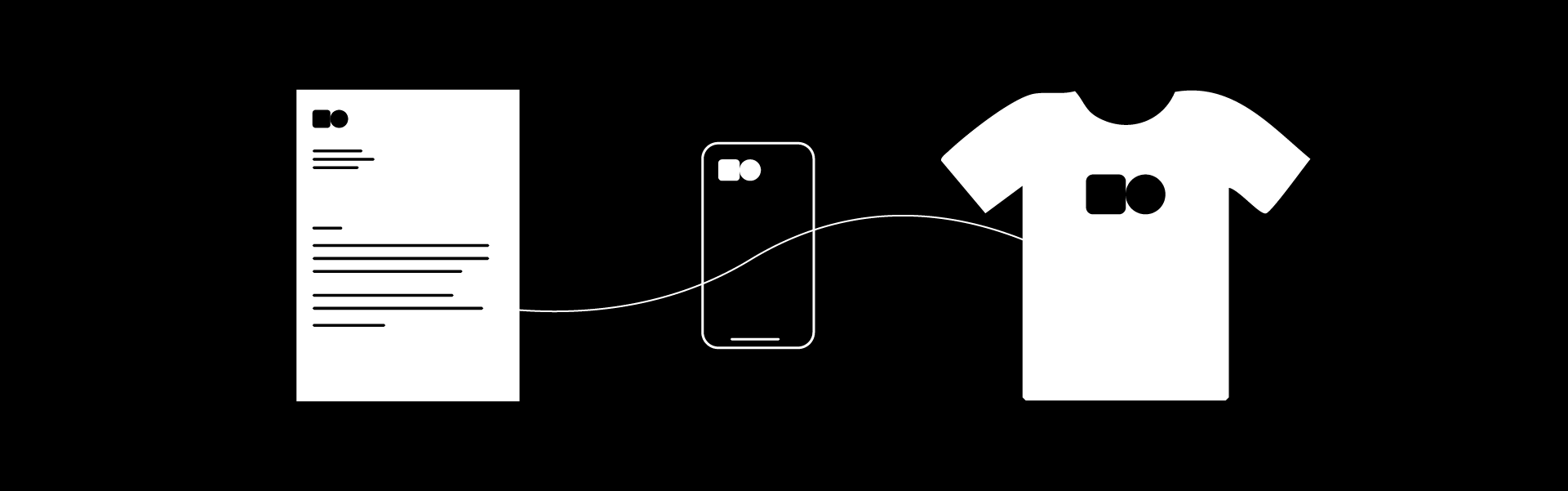
Here’s a tip: don’t just make random logos. Practice with a purpose.
Try these free challenges to build your portfolio:
- Rebrand your favorite local business
- Invent a fictional coffee shop and design its identity
- Do a 30-day logo grid challenge (sketch + vector daily)
- Join communities like Reddit’s /r/DesignCritiques and get feedback
As you go, apply what you learn:
- Use Akrivi Gridit tools to construct your logos
- Present mockups using an Instagram logo presentation generator (or make your own)
- Test how long each project takes and look for ways to streamline the logo design workflow.
Step 5: Learn Presentation & Client Communication
Designing is only half the job. Selling the idea to a client is the other.
The biggest mistake beginners make? They present raw logos without context.
Instead:
- Show 2–3 strong concepts
- Include a grid overlay to justify your design choices
- Use clearspace visuals to demonstrate scalability and balance
- Present on mockups relevant to the business (menus, signage, app icons)
🎁 Pro Tip: Want to make automated logo presentations faster? Use Akrivi Gridit to set up templates once, then reuse and adapt.
Step 6: Watch, Read, Repeat

There are endless free resources online. Some of my favorites include:
YouTube Channels
- The Futur (branding breakdowns)
- Satori Graphics (Adobe Illustrator tutorials)
- Logo Geek (design theory and interviews)
Blogs & Guides
- Akrivi Blog — Practical breakdowns and workflow tools
- Brand New by UnderConsideration — Real-world logo critiques
- LogoLounge — Great for trend analysis
Just be careful not to fall into a content-consumption loop. Learn, apply, repeat.
Step 7: Use the Right Tools (When You're Ready)

Eventually, you’ll want to level up your workflow. That’s where paid extensions come in.
At Akrivi, we offer Adobe Illustrator extensions built specifically for logo and identity designers. These aren’t generic design tools — they’re purpose-built to help with:
- Logo lockup automation
- Precision grid construction
- Professional logo presentation templates
- Creative process optimization
But here’s the thing: you don’t need to start with paid tools.
Our free scripts and templates can take you really far, and we designed them that way on purpose — so freelancers and students in the UK, US, Brazil, France, Germany, Saudi Arabia, and the Nordics can learn without barriers.
Final Thoughts: You Can Learn Logo Design — Without Paying a Cent
Logo design isn’t about flashy tools or expensive software. It’s about structure, clarity, and the ability to communicate through shape and form.
If you’re willing to:
- Study the fundamentals
- Practice intentionally
- Use tools that help (not hurt) your workflow
- Share your work and stay consistent
You will become a great logo designer for free.
When are you ready to speed up your process and start presenting work like a pro?
We’ll be right here.
Ready to Design Smarter?
Explore our free tools and downloadable templates — and streamline your logo design workflow with Akrivi.
👉 Visit www.akrivi.io to get started.







