


The all-in-one automation suite for brand identity designers




Deliver flawless
Everything you need, in one poweful suite







What is a Brand Bible?
A simple explanation of what a brand bible is for brand identity designers
If you work in branding, you hear a lot of different terms for this one document:
- Brand Bible
- Brand Guides
- Brand Guidelines
- Brand Book
It may sound confusing, but there all the same thing.
In this post, I’ll explain what a brand bible is, why your clients need one, and the fastest way to create it without spending days on layout design.
To understand those other terminologies better, read my article on what is a brand book.
What is a Brand Bible?
A brand bible is the single source of rules for a brand.
It is a document that establishes the distinct guidelines for maintaining brand identity across all touch-points. It covers the visual rules (logo, colors, fonts) and often the strategic core (mission, voice, values).
Why call it a Bible? Simply because it is the final authority. If a marketing intern isn't sure which shade of blue to use, they consult the bible. If a web developer doesn't know how much padding to put around the logo, the bible has that answer too.
Why is it Needed?
Without a brand bible, a company’s visual identity will be heavily misused.
One designer might stretch the logo. Another might use the wrong font. Over time, the brand looks very inconsistent, confusing target audience which is not only bad but unprofessional.
A brand bible prevents all this kind of chaos. It ensures that no matter who is working on the brand, the output always remain consistent.
Looking for inspiration? Check out our curated list of brand guidelines examples to see how pros structure their documents.
What Should You Include?
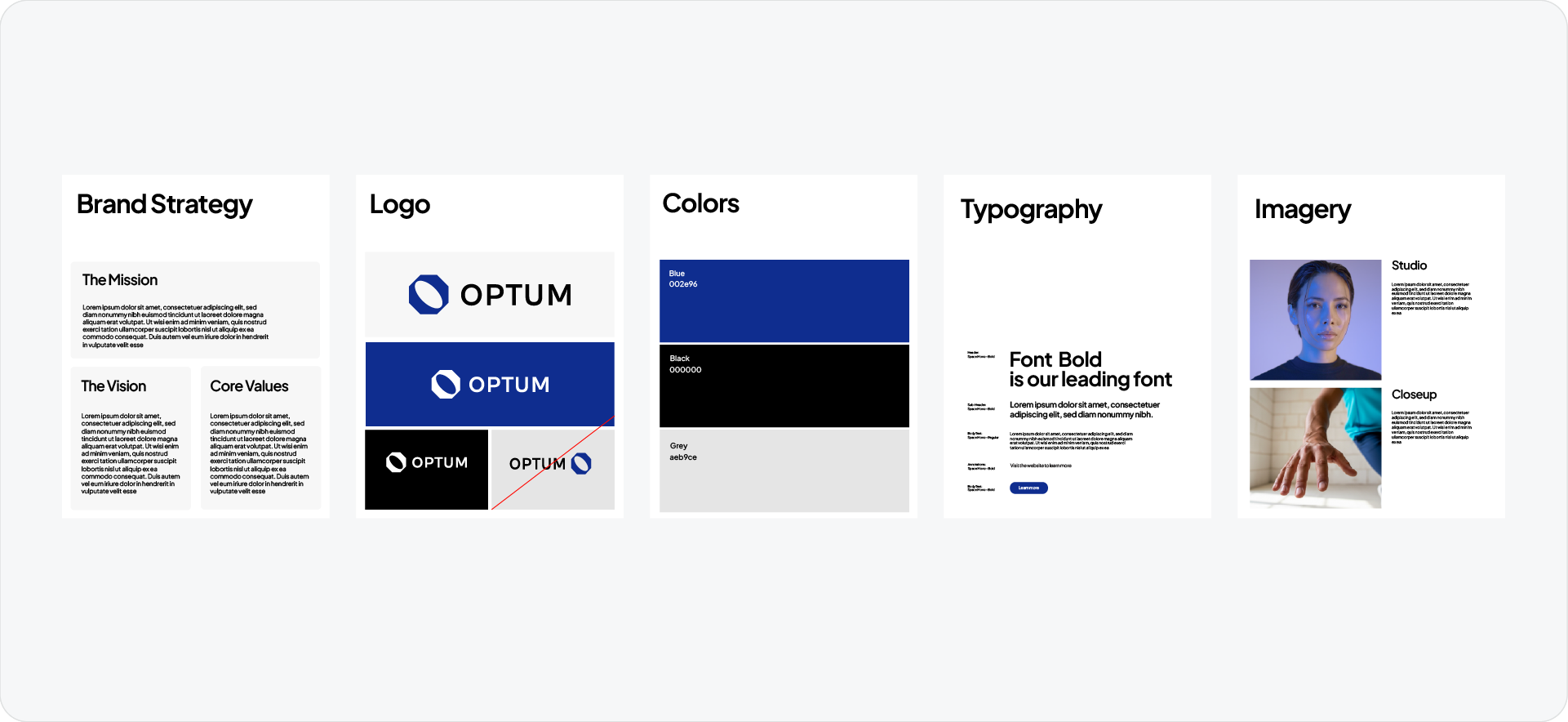
A professional brand bible doesn't need to be 100 pages long. It just needs to cover the essentials.
Here is the standard checklist:
- Brand Strategy: The Mission, Vision, and Core Values.
- Logo Usage: Clearspace, minimum size, and "Do Not" examples.
- Color Palette: Primary and secondary colors with HEX, RGB, and CMYK codes.
- Typography: The specific font families and hierarchy rules.
- Imagery: The photography style or graphic patterns.
How to Create a Brand Bible (The Fast Way)
Creating this document used to be a manual grind. Setting up the layout, typing out color codes, and placing logos took hours.
But you don't have to do it manually anymore. You can use Guideit to generate a professional brand bible directly inside Adobe Illustrator.
Here is how to do it in 3 steps:
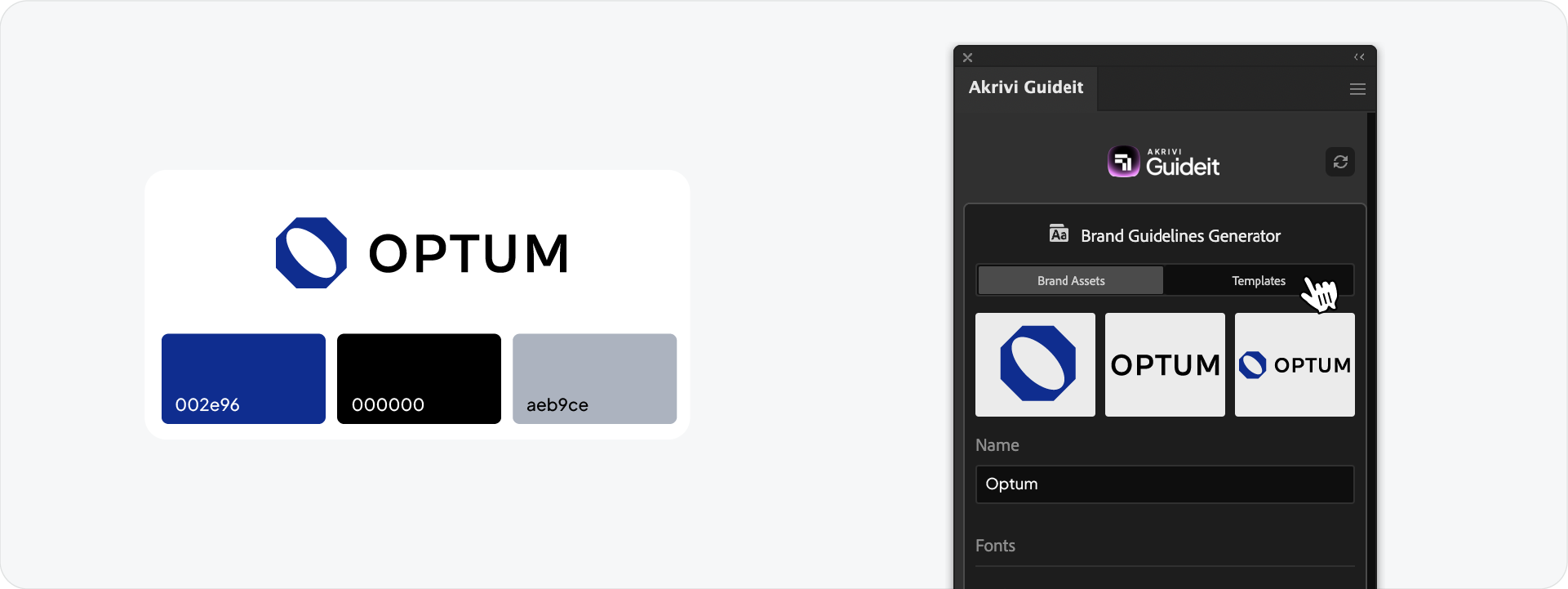
- Input Assets: Open the panel and upload your logos, select your fonts, and define your color palette.
- Select a Template: Choose a style that matches the brand (e.g., Corporate or Tech).
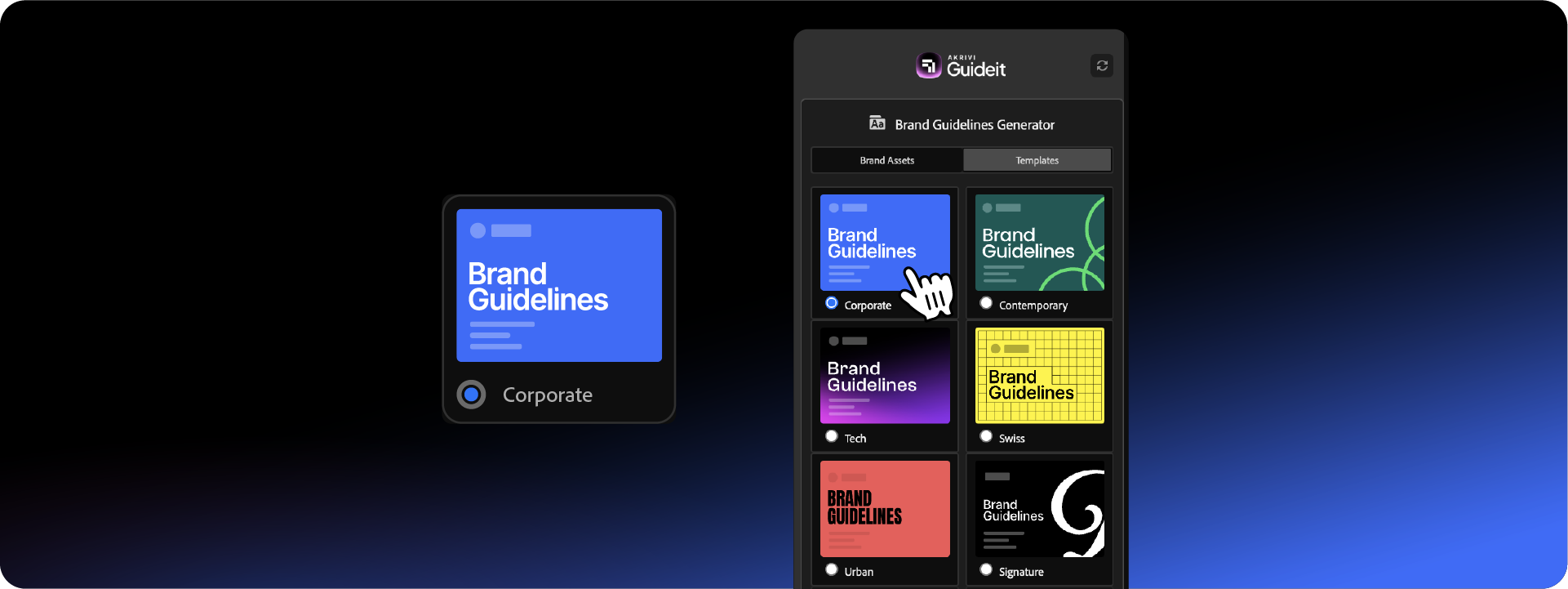
- Generate: Click the blue button. Guideit will instantly build the entire document, placing every logo and typing every color code for you.
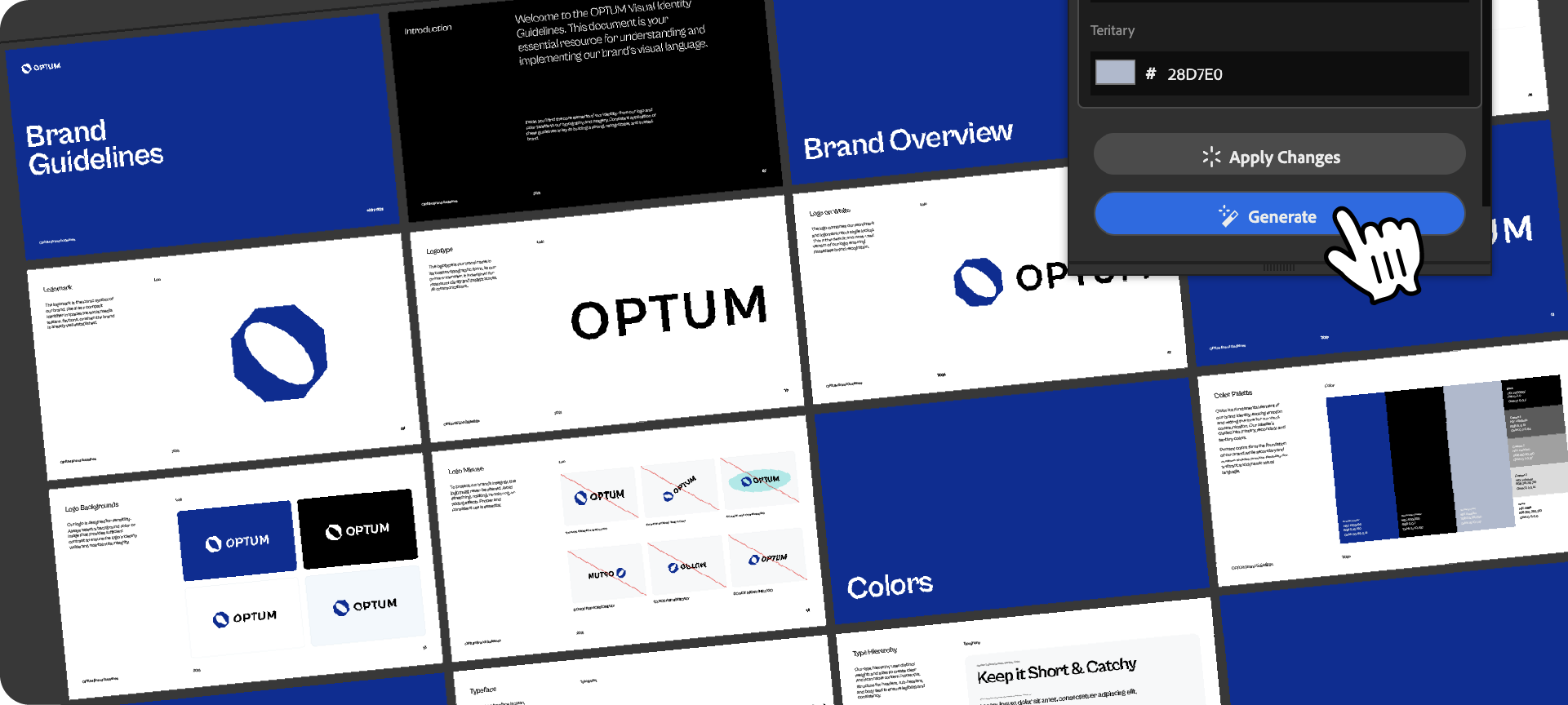
Watch the Tool in Action
See exactly how it works in this video:
You can also download our free brand guidelines templates to get started immediately.
Generate for Free with Akrivi Studio.

Conclusion
A brand bible is the best insurance policy you can give a client. It protects the work you did and ensures the brand stays strong for years to come. By using automation tools like Guideit, you can deliver this high-value asset without the administrative headache.







