


The all-in-one automation suite for brand identity designers




Works with Adobe Illustrator 2021 - 2026
Deliver flawless
Everything you need, in one poweful suite





Try Akrivi Studio, includes automated templates that generates layouts for you

What Logo Files to Send to Clients (Complete File Structure Included)


The exact files, formats, and structure used to deliver logo files professionally to clients
Every designer has had that message come through weeks after a project closed. Which file do I use for the website? Can you send me the logo in a different format? It always comes down to the same thing: the package wasn't organised clearly enough for the client to navigate on their own.
I've refined this structure over years of delivering logo projects. It covers every format, variation, and naming convention a client is realistically going to need.
Folder structure
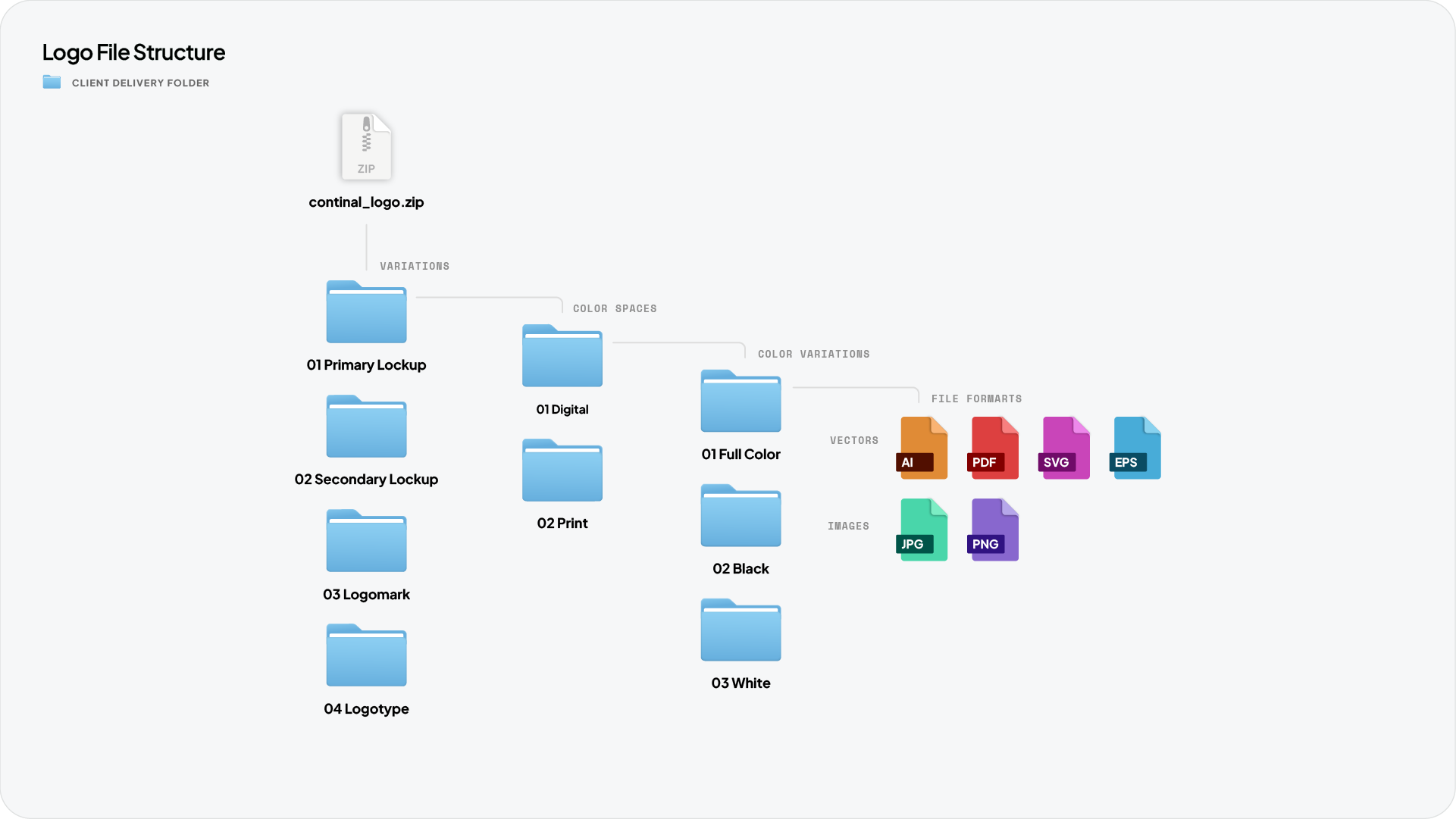
Organise the delivery by variation first, then colour space, then colour variant, then file formats. This matches how a client thinks: they know which logo they want before they know which format they need.
Inside each colour variant folder, separate vectors from images. The client never has to guess which file to use.
Related Reading: If you're delivering brand guidelines alongside the logo package, here's how to create brand guidelines in Illustrator using Guideit so both deliverables are ready together.
Web and Print colour spaces
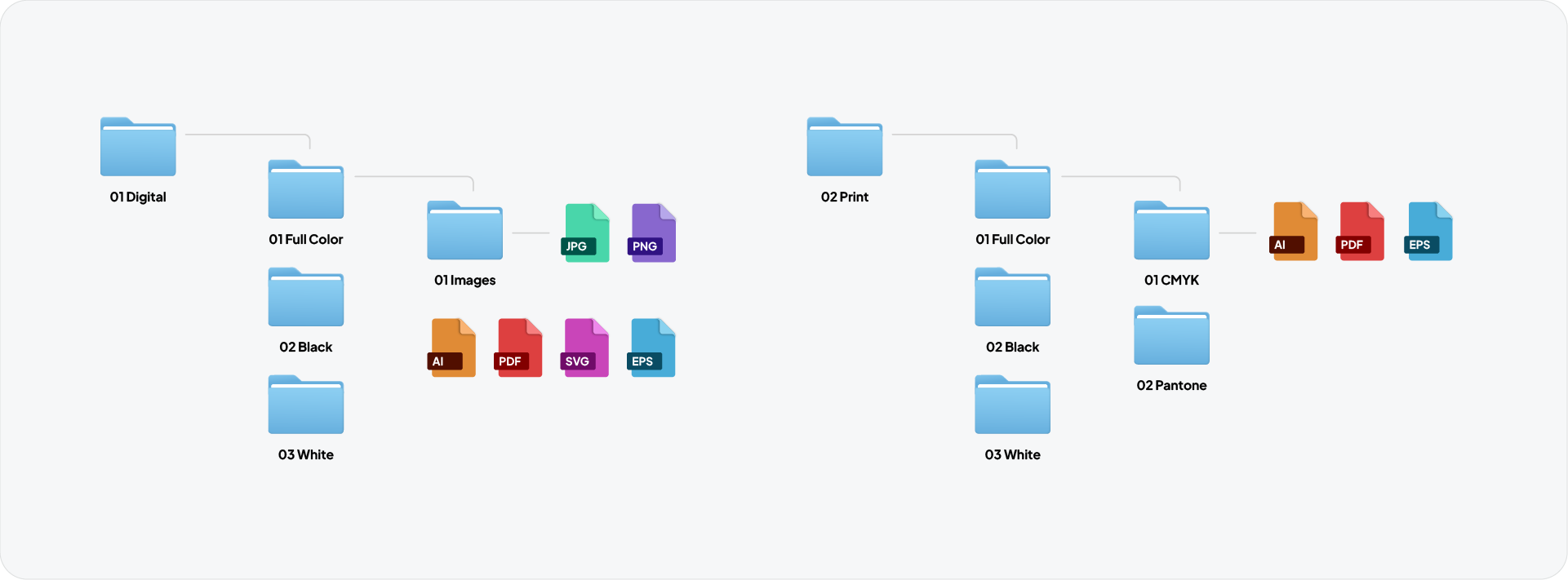
Every variation is split into two colour spaces: 01 Web for digital use in RGB, and 02 Print for physical production in CMYK and Pantone.
Inside 01 Web, each colour variant contains a 01 Preview folder with JPG and PNG raster files, plus AI, PDF, SVG and EPS vector files sitting alongside it.
Inside 02 Print, each colour variant contains a 01 CMYK and 02 Pantone folder, each with AI, PDF and EPS files.
Logo variations to include
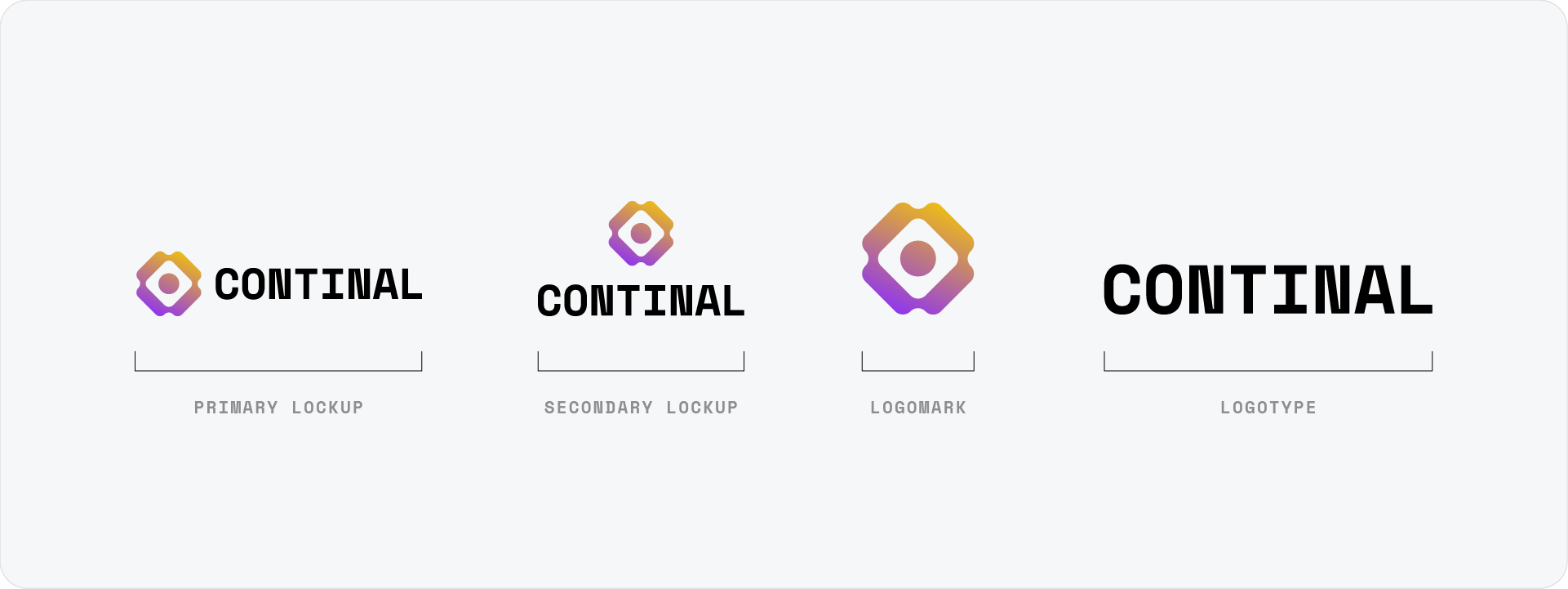
The number of variations depends on the identity system, but every package should include at minimum:
01 Primary Lockup
This is the main logo version used across most digital and print contexts.
02 Secondary Lockup
This is an alternate arrangement for applications where the primary lockup does not work, such as square formats or signage.
03 Logomark
This is the icon or symbol on its own, without the logotype. Essential for social media avatars, app icons, and merchandise.
04 Logotype
This is the wordmark on its own, useful for limited-space applications.
Each variation gets its own set of colour variants across every format. That is the full scope of what a complete package covers.
Related Reading: I've written a full breakdown of the 4 logo variations every brand needs and when to use each one if you want to go deeper on this.
Colour variants per variation
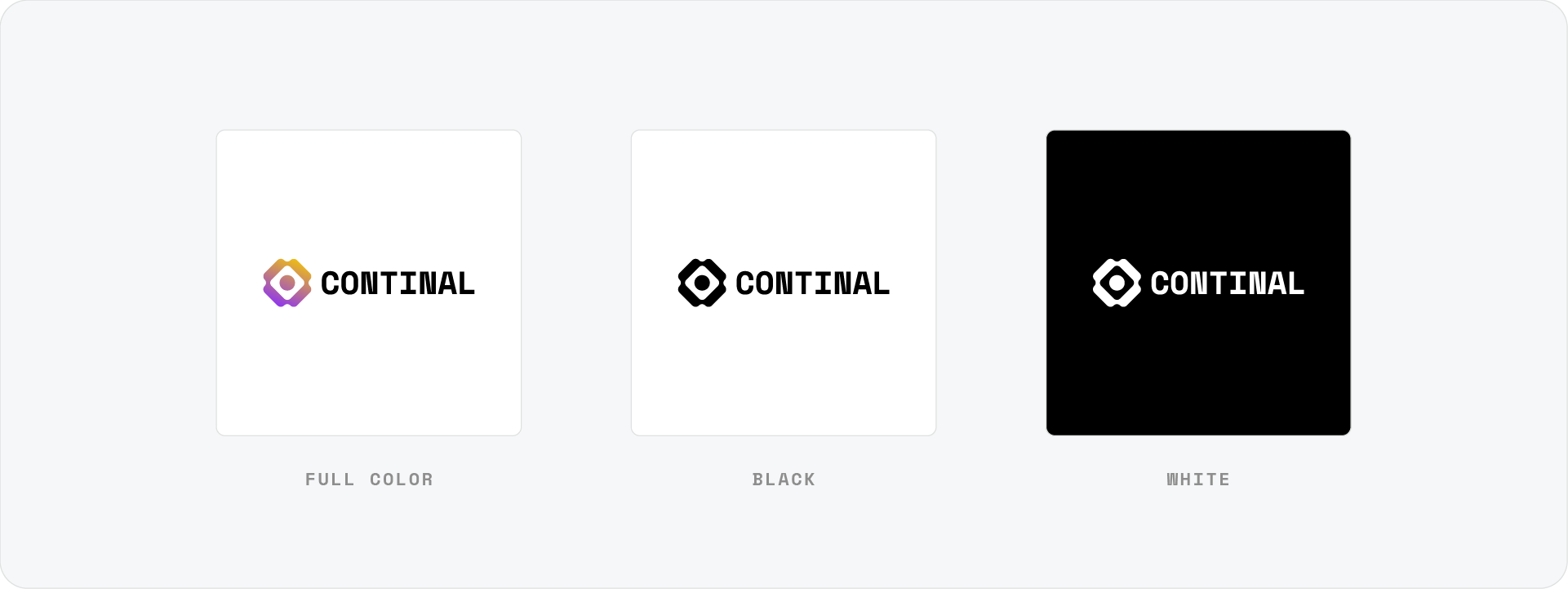
Every variation needs four colour versions as a minimum:
- Full colour for standard use
- Black single colour for one-colour print or embroidery
- White for use on brand-coloured or photographic backgrounds
File formats
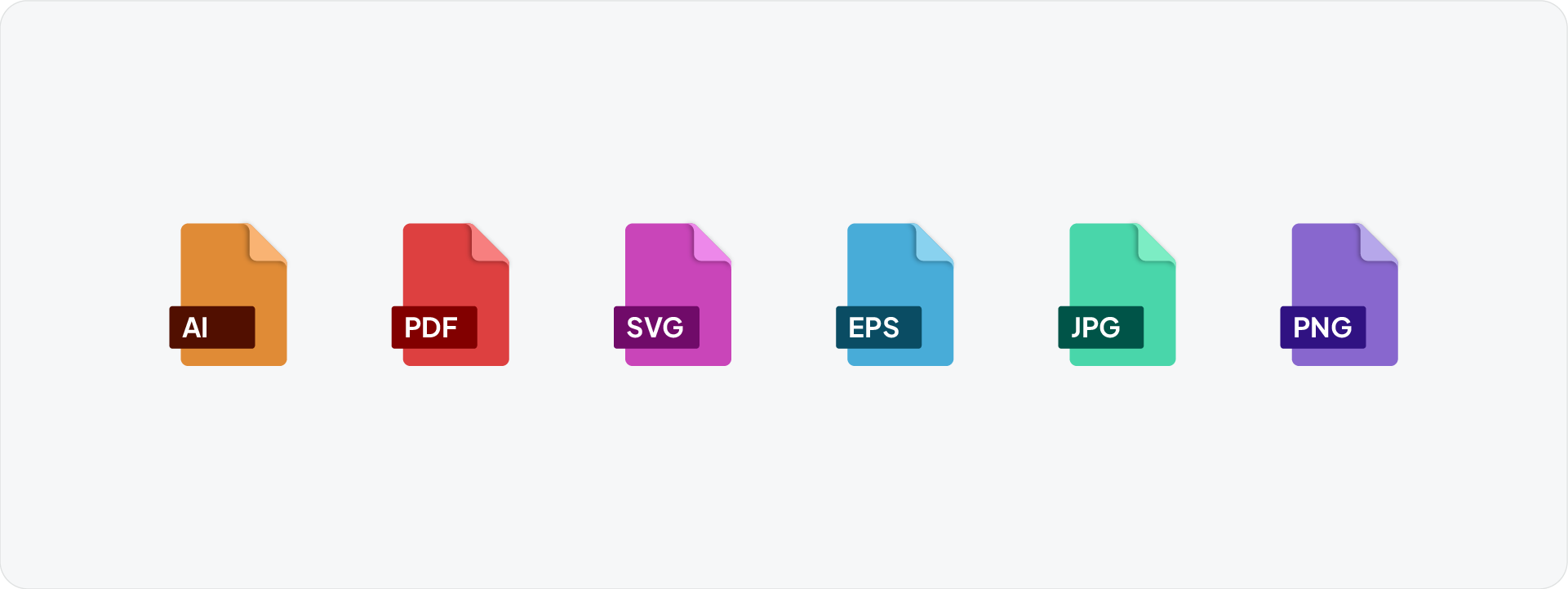
SVG is the vector format for web and digital use. Include in Digital/Vectors in RGB.
EPS is the universal vector format most print suppliers still request. Include RGB versions in Digital/Vectors and separate CMYK and Pantone versions in the Print folders.
PDF is a universal vector format that anyone can open without design software. It is editable in Illustrator and is increasingly preferred over EPS as the standard handoff vector format. Include alongside SVG in the Web folder.
PNG is the raster format with transparent background for digital use. Scale to 1920px on the longest edge for the primary file, with medium (960px) and small (192px) versions for email signatures and smaller digital use.
JPG is for contexts where transparency is not needed. Same sizing as PNG.
AI is the original source file kept in the Source folder. Clients need this if they brief another designer down the line.
File naming
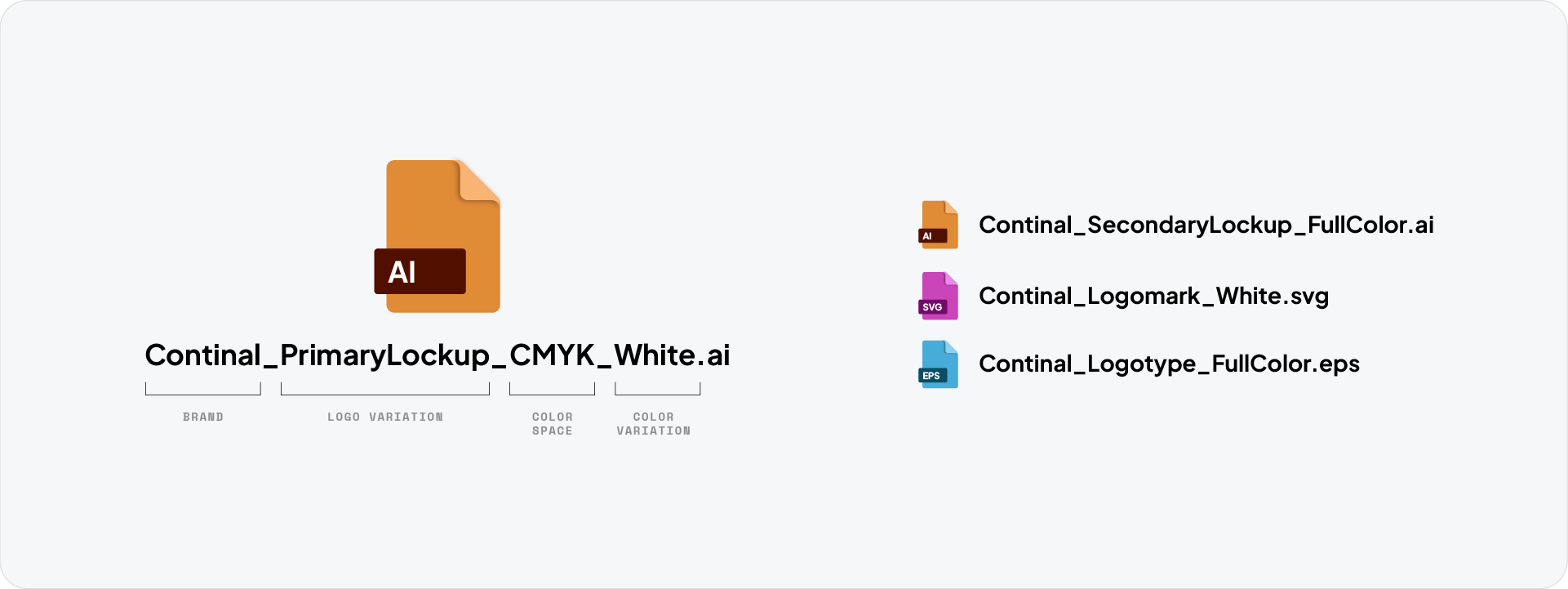
Use a consistent naming convention across every file:
BrandName_Variation_ColourVariant_ColourSpace.format
For example:
- Continal_Horizontal_FullColour.svg
- Continal_Horizontal_White_CMYK.eps
- Continal_Brandmark_Black.png
Lowercase with underscores avoids issues across operating systems and makes the package easier to scan at a glance.
Download the Logo File Structure
To save time on your next delivery, download the Logo File Structure freebie, a pre-built folder structure and naming guide ready to drop straight into your workflow.

Conclusion
A clean, well-labelled logo package is part of the deliverable. The structure here covers every format and variation a client is likely to need across the full life of the brand.



