


The all-in-one automation suite for brand identity designers




Works with Adobe Illustrator 2021 - 2026
Deliver flawless
Everything you need, in one poweful suite





Try Akrivi Studio, includes automated templates that generates layouts for you

Improving Logo File Delivery for a More Efficient Branding Workflow


Why the final stage of brand identity design is still inefficient — and how improving it impacts the entire creative process
Designing a logo already takes a huge amount of time.
Depending on the project, you might spend several days exploring concepts, refining typography, balancing proportions, not even including solving the actual brand strategy problem.
But once the logo is approved, there's another stage that requires technical attention to detail.
Preparing and delivering the logo files.
And in many cases, this final stage is still far more manual than it should be.
Delivering logo files is more than sending a folder
A proper logo delivery package usually includes multiple file formats, colour modes, and logo variations.
Most designers are exporting:
- AI
- EPS
- SVG
- PNG
- JPG
Alongside:
- RGB versions for digital
- CMYK versions for print
- Sometimes Pantone versions for specialist printing
And then on top of that, every logo variation also needs to be prepared:
- Full colour
- Black
- White
- Inverse
- Horizontal lockups
- Vertical lockups
- Icons and submarks
By the end of the project, designers can easily be exporting dozens of files for a single identity system.
If you’re unfamiliar with the different logo file types, I’ve already covered them in this ultimate guide:
👉 Ultimate Guide to Logo File Formats 2026
The client also needs to understand the files
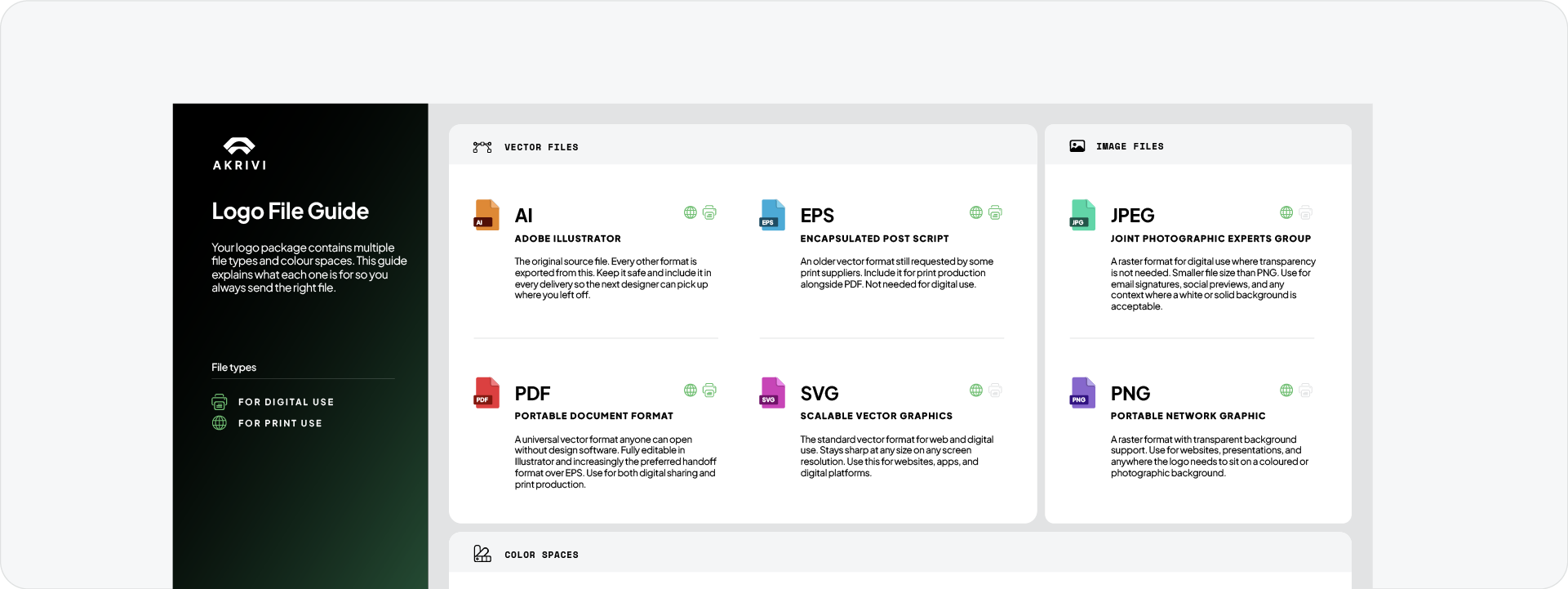
One of the biggest issues with logo delivery is that clients often don’t know which files to use.
A client might accidentally send a PNG to print.
Or upload a low-resolution JPG where a vector file should have been used.
So delivering logo files is not just about exporting assets. It also becomes a communication problem.
Designers often end up explaining:
- which files are for print
- which files are for web
- which files are scalable
- which files support transparency
Although brand guidelines help with visual consistency, they don’t explain technical file usage clearly.
That’s why file structure and organisation become so important.
Exporting logo files has improved, but the brand design workflow is still fragmented
Adobe Illustrator has improved exporting logo files significantly over the years.
Features like Export for Screens make batch exporting faster and more manageable.
There are also great existing Adobe Illustrator plugins like Logo Package Express that help streamline parts of the process.
But even with these improvements, the workflow still feels fragmented.
One of the biggest issues is constantly switching between different tools and stages throughout the brand identity process.
You create the logo in one place, then switch to prepare the logo presentation and brand guidelines in another platform like InDesign, to then return again to prepare and export logo files for delivery.
As a designer of almost 10 years, the workflow becomes a chain of disconnected steps instead of one connected system.
And because every project repeats this process, small inefficiencies compound quickly across the entire brand identity workflow.
The real inefficiency is repetition
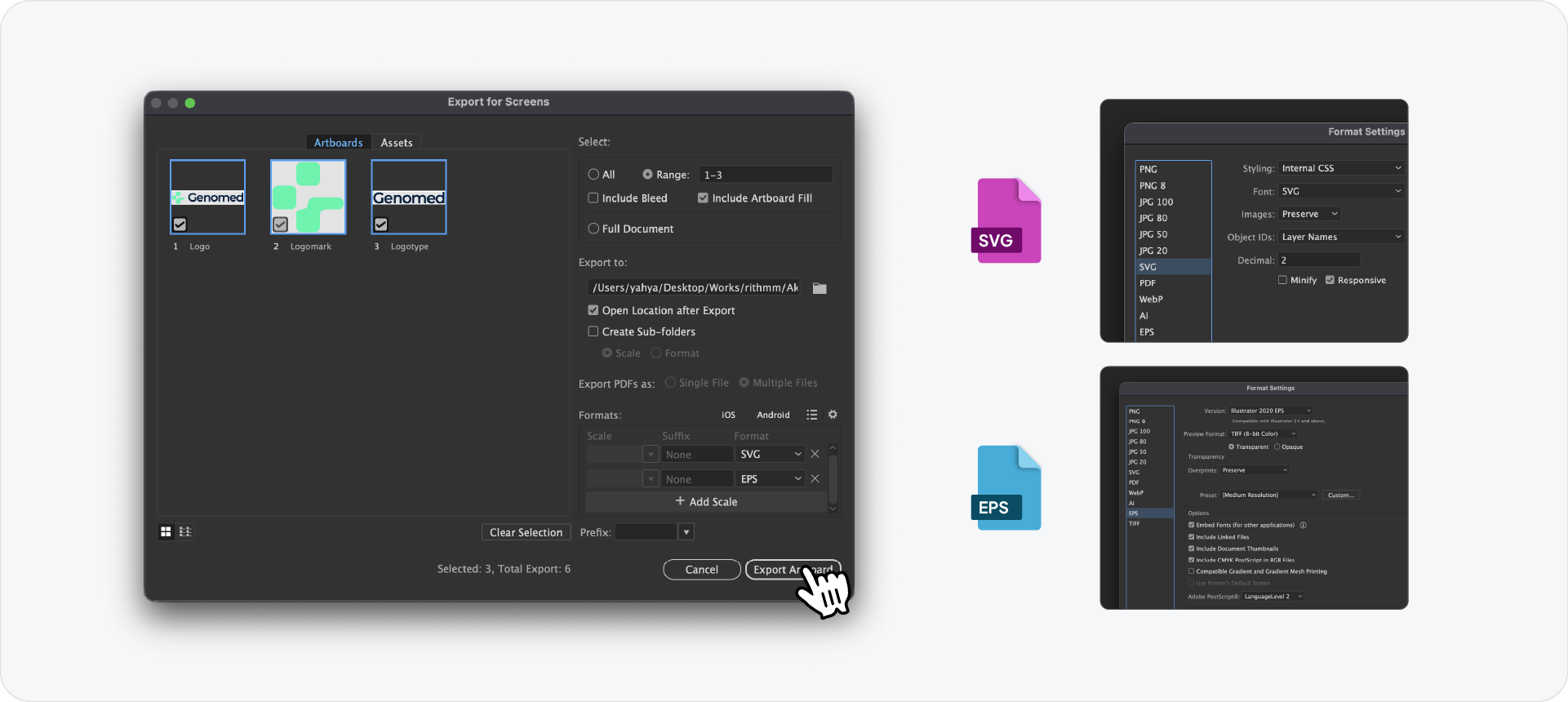
The issue is not exporting itself.
The issue is repeating the same preparation process every time.
Every project eventually reaches the same final stage:
1. Prepare files
2. Export variations
3. Organise folders
4. Explain usage
And because every brand identity project ends with delivery, inefficiencies at this stage affect the efficiency of the entire workflow.
For freelancers and studios, this matters more than people realise.
The longer repetitive tasks take, the less time you have for actual creative thinking, client acquisition, or higher-value work.
What a better workflow should look like
The workflow should feel far more connected than it currently does.
Instead of manually preparing and exporting everything one by one, designers should be able to:
- select all logo variations once
- choose required outputs
- generate web and print files automatically
- export organised folder structures
- include usage instructions for clients
Less repetition, setup and manual mistakes.
Solving this with Exportit Logo File Generator
.png)
This is something I’ve been working on improving with Exportit Logo File Generator inside Akrivi Studio.
The goal is to simplify the final stage of brand identity delivery by turning it into a more structured workflow, seemlessly connected with the previous stage/ tool - Guideit Brand Guidelines Generator.
Instead of manually creating every export setup, Exportit allows designers to:
- select logo variations together
- generate multiple file formats
- prepare web and print outputs
- organise files automatically
- include a logo usage instruction sheet for clients
The idea is not just to export files faster.
It’s to improve the efficiency of the overall brand identity workflow by reducing friction at the final stage of the process.
Final thoughts
Designing the logo is only part of the job.
Preparing and delivering the files is another major stage entirely.
And because every real client project ends with delivery, improving this stage improves the efficiency of the entire workflow.
That’s why I believe improving logo file delivery through connected systems like Akrivi Studio, where every stage of the brand identity process flows into the next, can significantly increase efficiency for freelancers, design teams, and brand identity studios.



